
Last.fm Scrobbling Widget
It's what I use on my site! And you can use it, too!
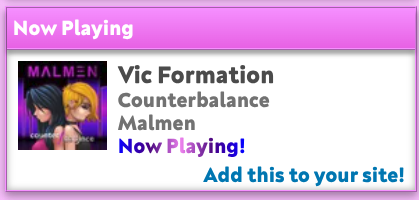
Posted on October 7, 2026
(By the way, here’s the link to that song I’m playing in the pic! Malmen is so awesome and their music was the kind of thing I’d have on repeat for years. Go check out Malmen’s website!)
Because I wanted to have a little bit more control over my widgets (nothing against WidgetStar), I decided to make my own little widget for last.fm scribbly scrobblies! And since my API endpoint exists and would be a bit of a waste to have it used just for my site, I’ve made this page so you can easily insert this widget into your own website!
Using the Last.fm API, all this widget does is it takes the most recent row from your scrobbles and spits it out as some JSON you can use! Ordinarily you could do this directly with last.fm, but that would require setting up a non-static endpoint with an API key yadda yadda. Of course, anyone can do this (and you can also clone my extremely simple Cloudflare worker), though it is nice when it just Exists. Since I have some spare compute on my Cloudflare that I am happy to share, it is available here for you to use.
I just want something that works
Okay, the following snippet (after adding your Last.fm username) will get you pretty much what I have on my site. You can always copy the script from that link to your site to get more control over the design.
<a id="now-listening">
  <img id="now-listening-img">
  <div id="now-listening-info">
    <div id="now-listening-track">Loading...</div>
    <div id="now-listening-album"></div>
    <div id="now-listening-artist"></div>
    <div id="time-since-played"></div>
  </div>
</a>
<script
  type="text/javascript"
  src="https://lastfm-api.angle.dev/widget.js?name=YOUR_USERNAME_HERE"
  defer></script>
For the horizontal layout shown below, you can use the following CSS:
#now-listening {
  width: auto;
  display: inline-flex;
  align-items: start;
  border: 1px solid purple;
  padding: 0.5em;
}

#now-listening-info {
  display: block;
  padding-left: 0.5em;
}
Customize Widget
Below is an example of how the widget looks. I promise, there isn’t a whole lot of JavaScript involved, but it lets you have full control over how the widget looks!
The API call made here retrieves an object that mostly mirrors the Last.fm API for user.getRecentTracks, though when a user is not actively listening to something, I haave added a timeStr value to the data.date object so that you do not need to do any special calculation for a string like “3 hours ago.” The script automatically updates every 45 seconds, which is very reasonable for scrobbles and seems like a good balance for server load.
On the client side, this is all that is pulled in from the widget.js endpoint. Feel free to yoink this and customize it to your heart’s content! It is much faster to load if you include this chunk in your site’s JS rather than pulling the JS from my site :)
// Scribbly scrobbly
// https://jasmangle.com
const container = document.getElementById("now-listening");
const eImg = document.getElementById('now-listening-img');
const eTrack = document.getElementById('now-listening-track');
const eAlbum = document.getElementById('now-listening-album');
const eArtist = document.getElementById('now-listening-artist');
const eTimeSince = document.getElementById('time-since-played');

const getNowListening = async () => {
  const request = await fetch("https://lastfm-api.angle.dev/?name=YOUR_USERNAME_HERE");
  const json = await request.json();

  if (json.hasOwnProperty('error')) {
    eImg.src = '';
    container.href = '';
    eTrack.innerHTML = 'Oops, I encountered an error.';
    eAlbum.innerHTML = json.error;
    eArtist.innerHTML = '';
    eTimeSince.innerHTML = '';
    console.log(`Last.fm widget error: ${json.error}`);
    return;
  }

  let isPlaying = json.data['@attr']?.nowplaying || false;

  container.href = json.data.url;
  eImg.src = json.data.image[1]['#text'];
  eTrack.innerHTML = json.data.name;
  eAlbum.innerHTML = json.data.album['#text'];
  eArtist.innerHTML = json.data.artist['#text'];
  if (isPlaying) {
    eTimeSince.innerHTML = "Now Playing!";
  } else {
    eTimeSince.innerHTML = json.data.date.timeStr;
  }
};
getNowListening();
setInterval(() => { getNowListening(); }, 45000);


